
How to get a quote and buy your drapery from Drapery Life, step by step
From the home page to the cart in just a few minutes: with real screenshots from the site, we show you every screen of the configurator—zone, drapery type, fabric, measurements, stack, mounting, installation, and payment—so you can shop with complete clarity.
Buying a custom-made curtain usually means scheduling appointments, flipping through catalogs, and waiting for a quote. At Drapery Life, you can do it yourself from home, with the price in view at all times. This guide walks through the actual process on the site, screen by screen, with screenshots taken directly from draperylife.com. If you have your measurements handy, the whole process takes just a few minutes.
Note: while the site is in its launch phase, you'll see a banner at the top indicating that this is a demo environment. This is normal and does not affect the steps we describe.
Step 1 · Choose How You'd Like to Start
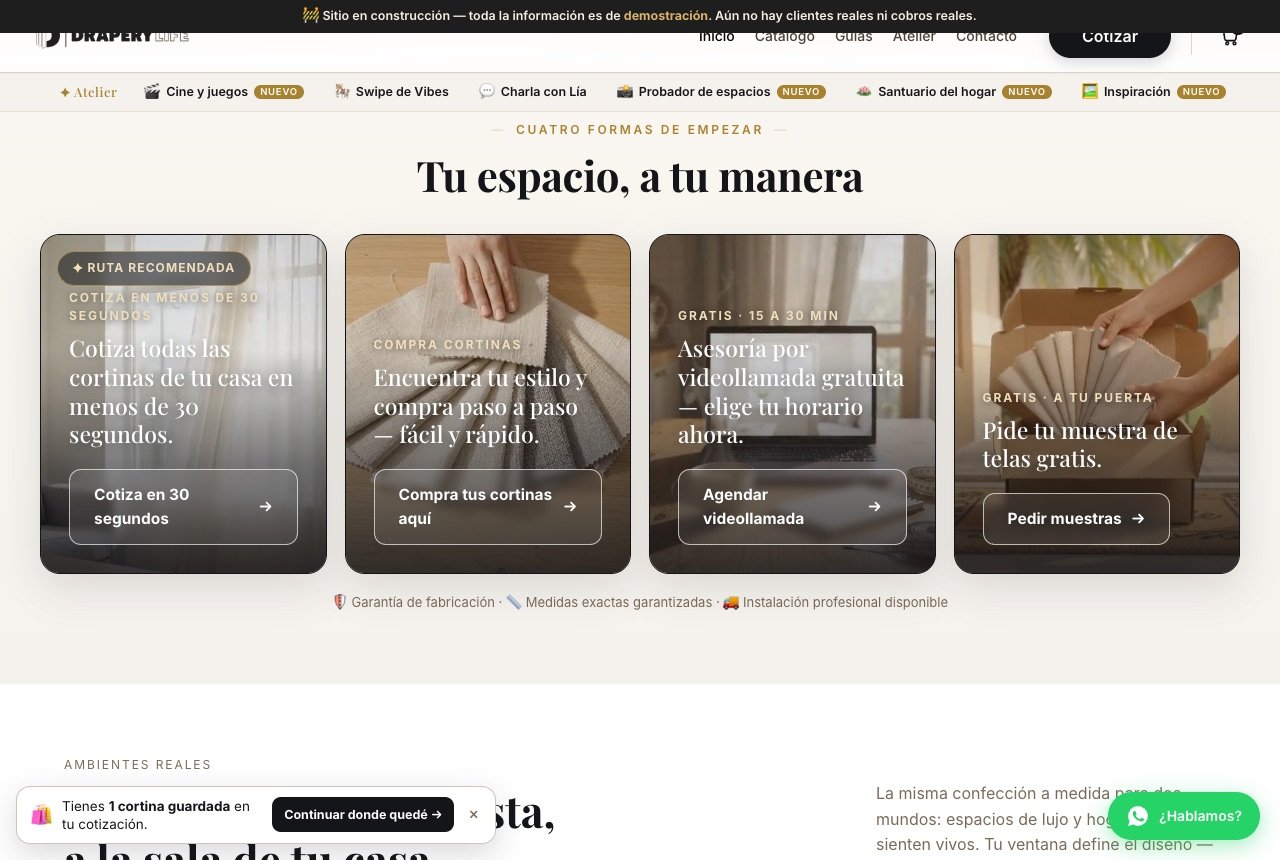
On the home page, the “Your space, your way” section offers you four paths:
- Get a quote in 30 seconds: the quick estimator, ideal if you want a sense of what the whole house would cost.
- Buy your curtains here: the full configurator, which is the path this guide follows.
- Schedule a video call: a free consultation of 15 to 30 minutes.
- Request samples: fabric swatches delivered to your home so you can see the color in your own light.
Tap “Buy your curtains here”. You can also reach the same place with the black Get a Quote button in the top menu, from any page.
Step 2 · Validate your area
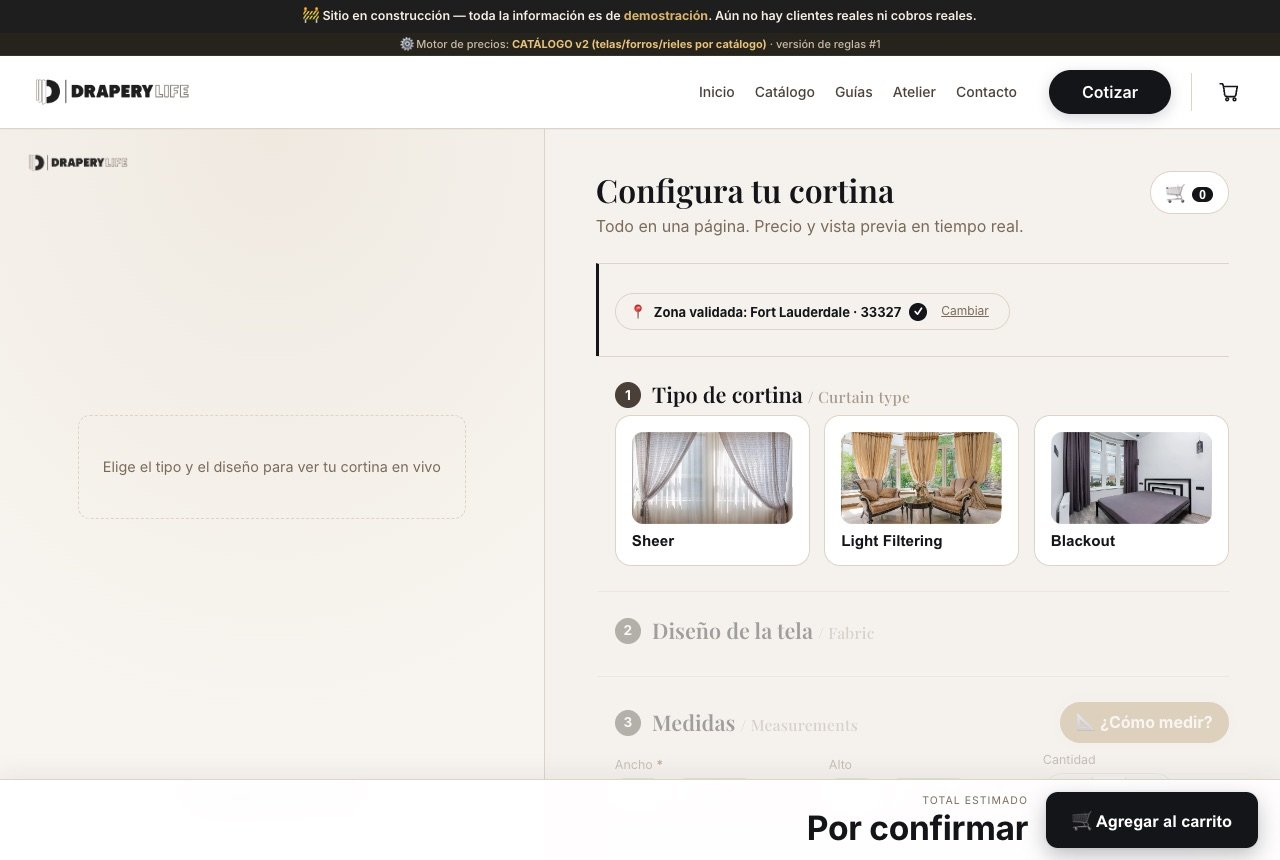
The configurator opens with a box labeled “Let’s validate your area”. Enter your five-digit ZIP code and click Validate. If we serve your area (Palm Beach, Broward, and Miami-Dade), you’ll see a label such as “Area validated: Fort Lauderdale · 33327”, and the next steps will unlock. If you made a mistake, use Change.
Step 3 · Curtain type and fabric design
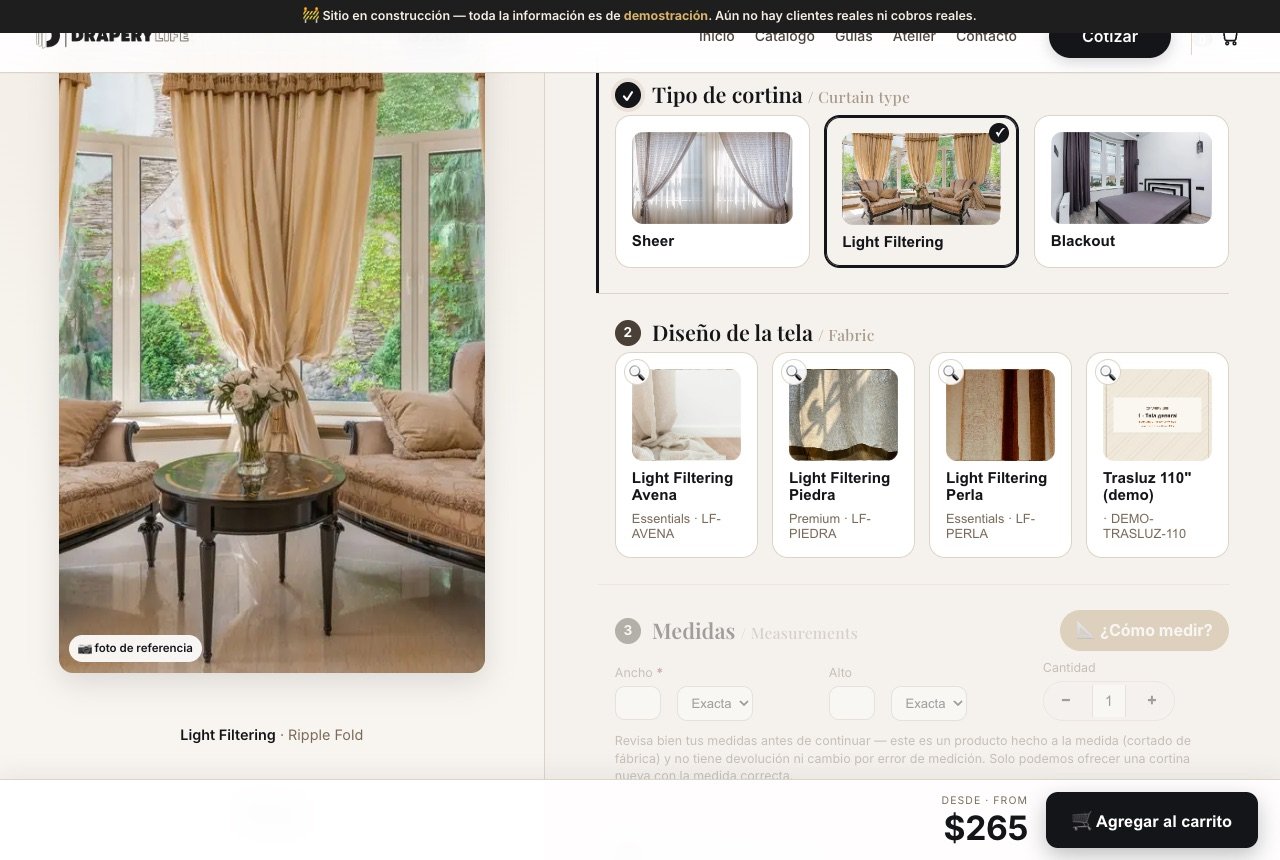
First, choose the curtain type based on how much light you want to let in:
- Sheer: translucent, softens the light and keeps your view.
- Light Filtering: provides privacy and lets in natural light.
- Blackout: true darkness, designed for bedrooms and home theaters.
When you pick one, its fabric designs appear with their name, collection, and code. The magnifier on each card enlarges the photo. Once you select a fabric, the left column shows a preview, and the price in the lower right changes to “From” so you have an immediate reference.
Step 4 · Enter your measurements
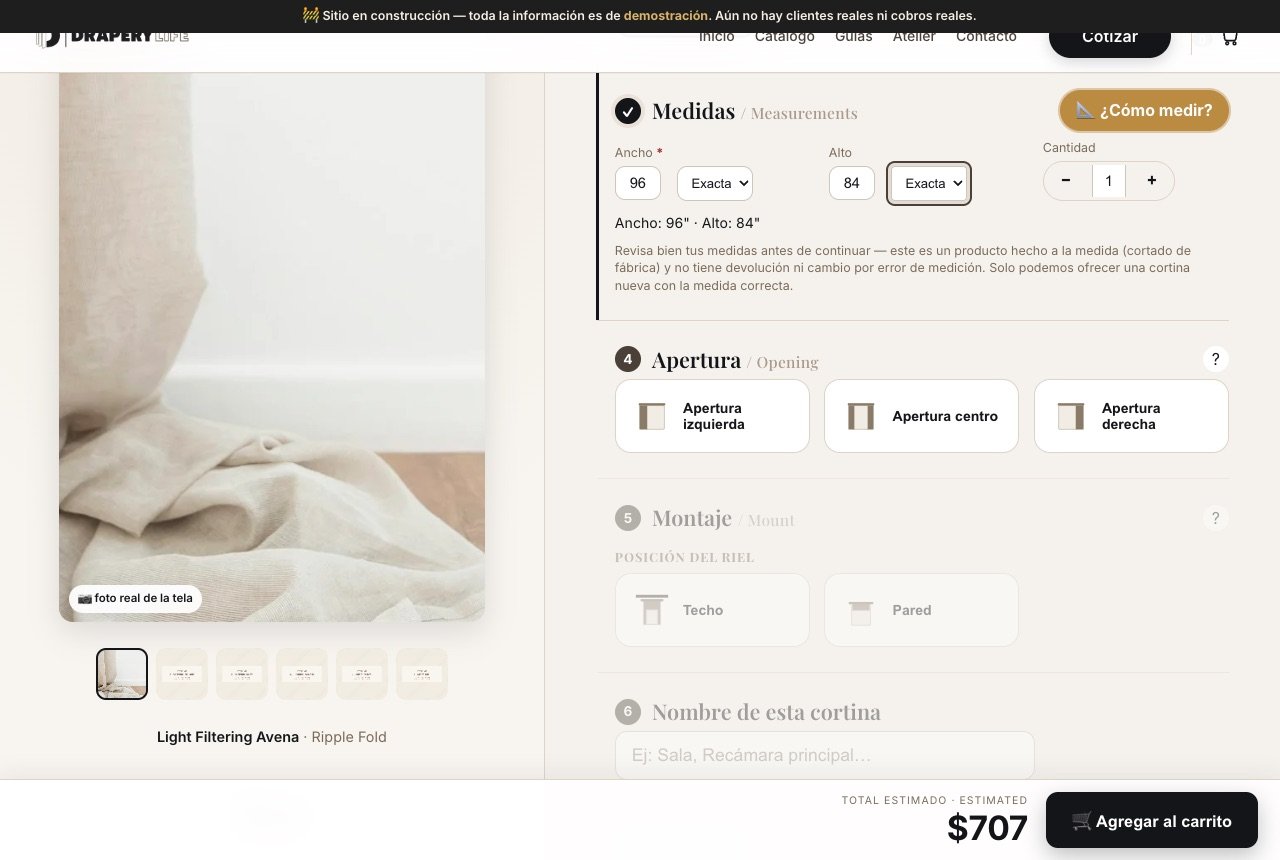
Enter the width (required) and the height in inches. Next to each field is a fraction selector, from 1/16″ to 15/16″, so you don’t have to round. Use the Quantity control to indicate how many identical curtains you need.
Once you complete the measurements, the Estimated Total in the bottom bar updates automatically. In our example, a Light Filtering in Avena at 96″ × 84″ comes to $707. If you have questions, the “How to measure?” button opens a guide. Also read the notice carefully: because this is a made-to-measure product, returns are not accepted for measurement errors. Our measuring guide will help you get it right.
Step 5 · Opening and mounting
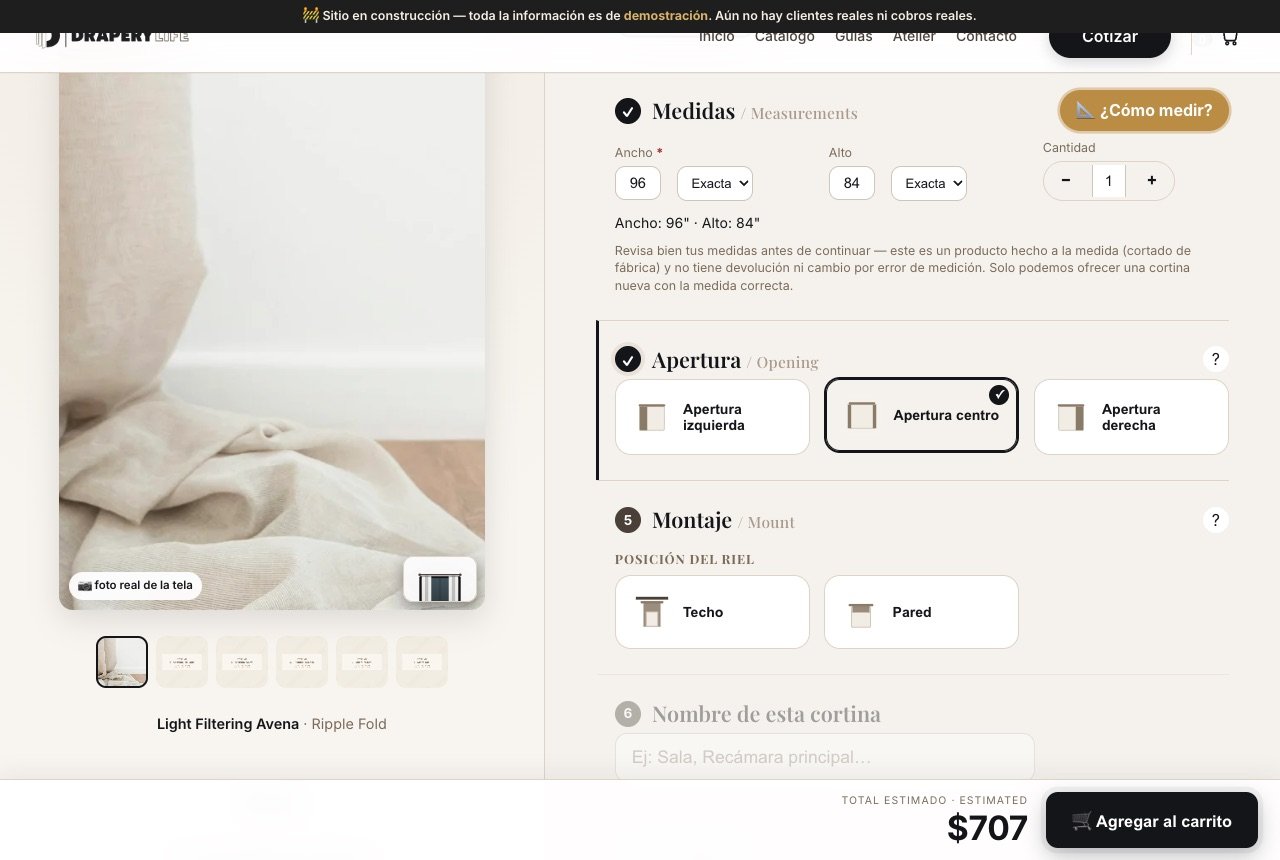
Opening: determines where the curtain stacks when opened: left, center (in two panels), or right. Choose based on which side you walk through or the furniture you want to keep clear.
Mounting: sets where the track goes. With a ceiling mount, the curtain hangs from top to bottom and the space looks taller; with a wall mount, it’s the classic installation above the window frame. The “?” buttons explain each option, and the preview thumbnail changes with each choice.
Step 6 · Name it and review the summary
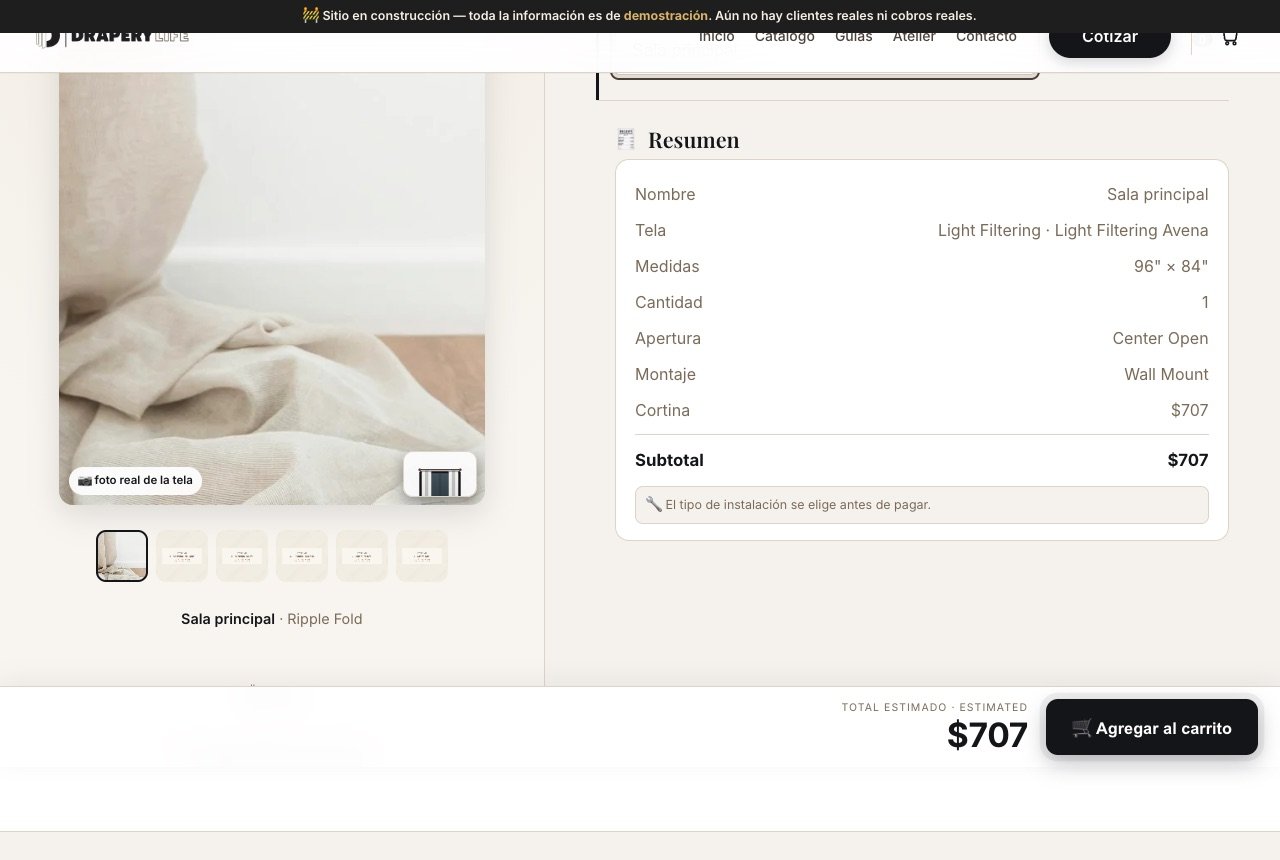
Give the curtain a name, such as “Main living room” or “Bedroom.” This is very helpful when you’re shopping for several windows. Below, you’ll see the Summary with everything you selected and the subtotal. Review it at your own pace, then click Add to Cart.
Step 7 · Your cart and who installs
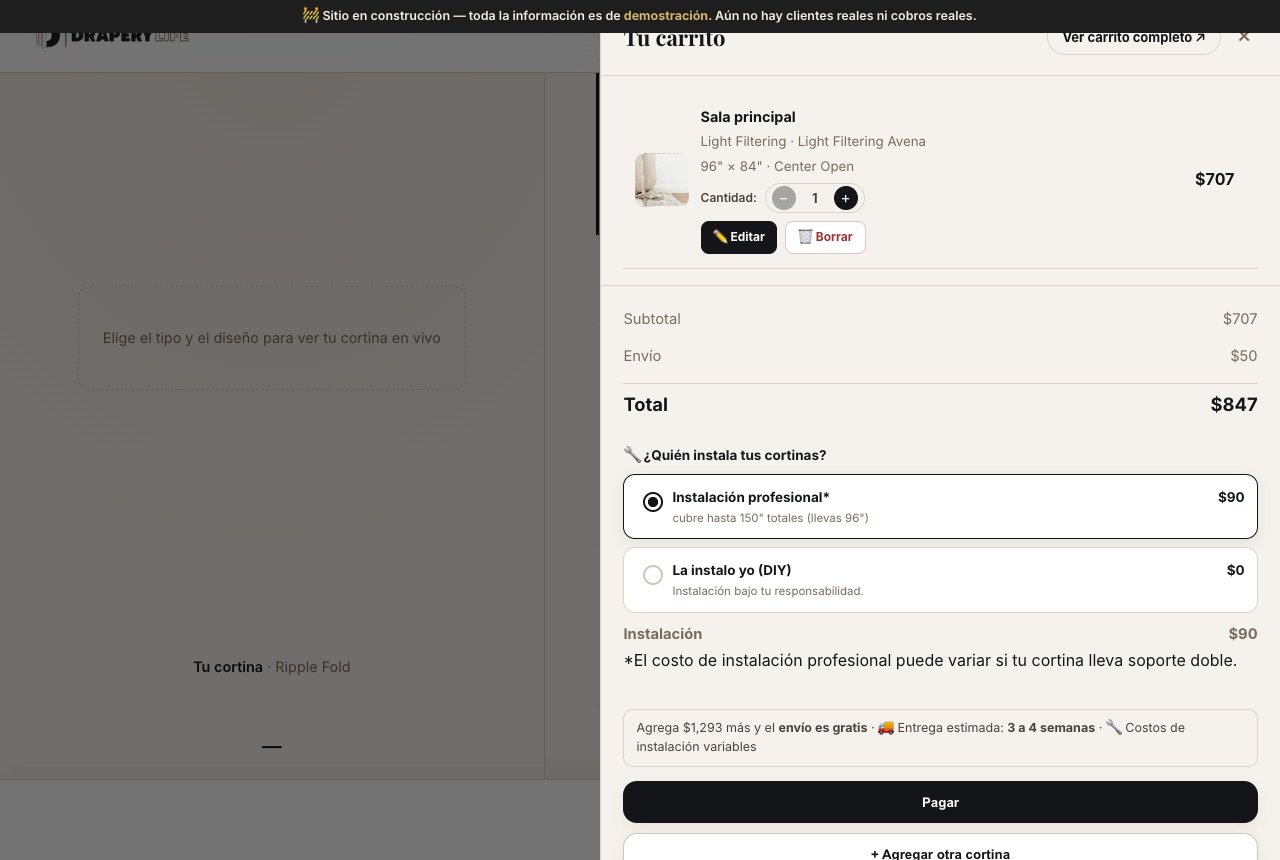
The Your Cart panel opens. From there, you can change the quantity, Edit, or Delete each curtain, and see the subtotal, shipping, and total. This is also where you choose who installs:
- Professional installation: a technician installs for you; the panel shows how many inches the fee covers (in the example, $90 to 150″ total).
- I’ll install it myself (DIY): no charge, at your own responsibility and subject to the DIY installation terms.
The panel also shows how much more you need for free shipping and the estimated delivery (two weeks from order confirmation). Have more windows? Click “+ Add another curtain” and repeat steps 3 through 6.
Tip
Configure all your windows first, then choose installation: the professional installation fee is calculated on the total number of inches in your order.
Prefer a full-screen view?
The “View full cart” link opens the /carrito page with the same content in a larger format.
Step 8 · Your email and checkout
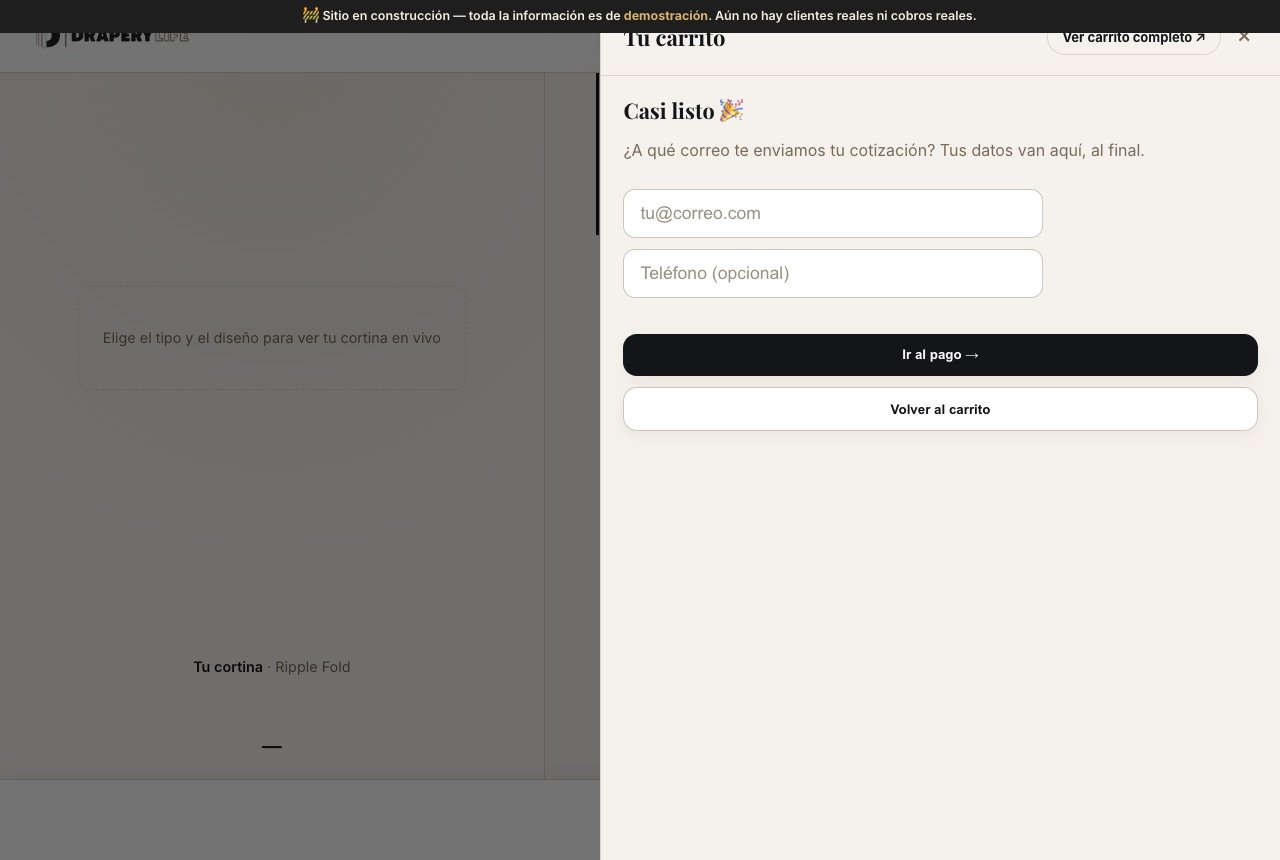
When you click Pay, the panel asks only for the essentials: the email where we send your quote and, if you like, a phone number. Your other details are requested at the end. Clicking “Go to payment →” takes you to the payment page, which shows your progress in three steps: Cart ✓ → Details & Payment → Confirmation. There you complete your delivery address and payment method over an encrypted connection, and you receive your order confirmation. If you change your mind, “Back to Cart” returns you without losing anything.
Step 9 · Your Quote Is Waiting
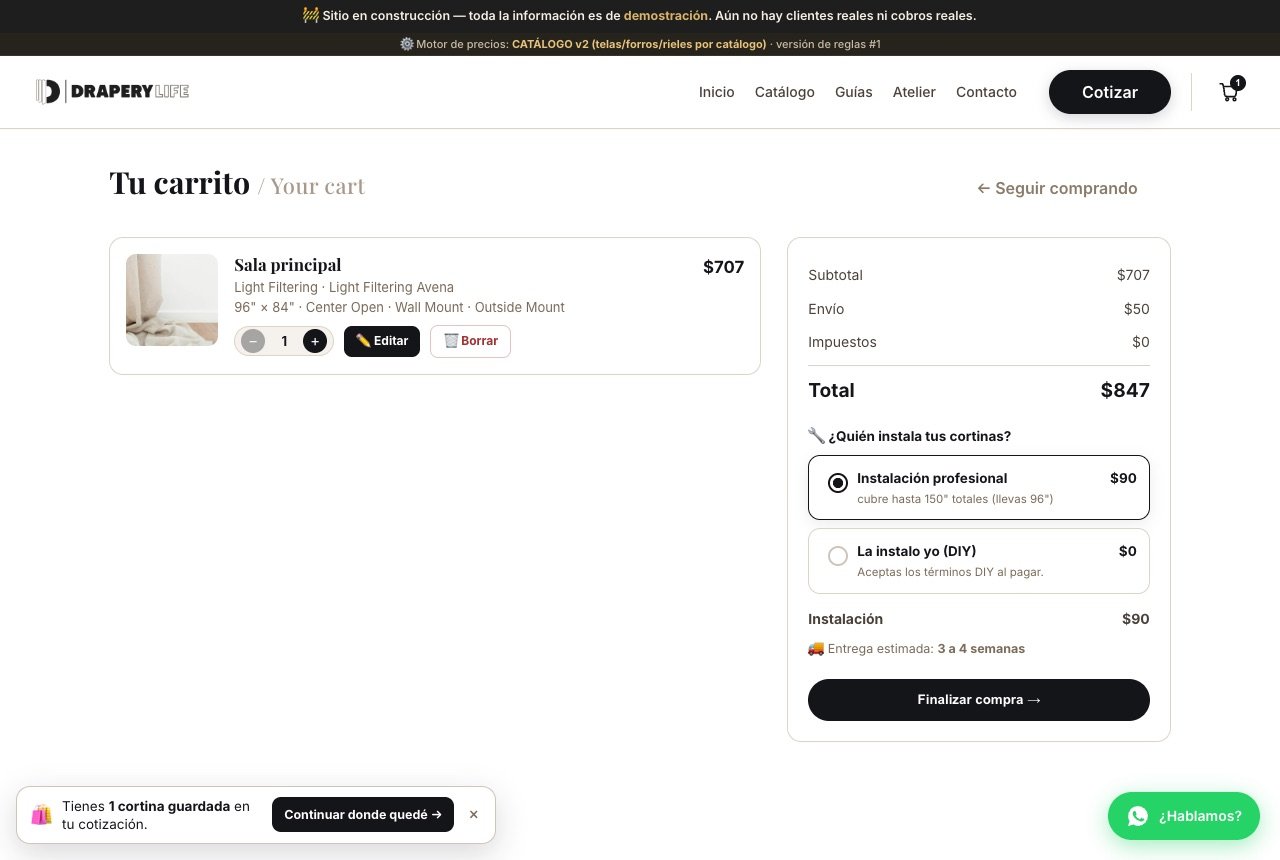
You don't have to finish in one visit. Your cart is saved: if you come back later, a notice in the corner, “You have 1 curtain saved”, offers to Continue where I left off. On the Your Cart page, you'll see each curtain with all its specifications, a breakdown of subtotal, shipping, taxes and installation, and the Checkout button.
Take the time you need: the price you see while configuring is the same one that appears in your cart.
Got stuck at any step?
Message us through the WhatsApp button “Let’s talk?”, visible on every page, or schedule a free video consultation. And if you’d like some inspiration before deciding, our Atelier can help you find your style.